
Scannable is the new Clickable.
Think about this: when was the last time you scanned a QR code? Just a few minutes earlier...right.
Today, scanning is replacing clicking. You live in a world where offline and online connect instantly with one quick scan.
QR codes are no longer simple website links. They now connect stores, packaging, events, and ads directly to digital experiences.
With over 2.9 billion users worldwide and a fast-growing market, QR codes are becoming essential for modern businesses. Yet many still use basic tools without tracking or branding features, missing valuable insights and growth.
Now, QR codes power contactless payments, instant feedback, personalized offers, and trackable marketing campaigns.
The true query is, are you making the most intelligent use of QR codes?
With this article, you’ll discover what a QR Code maker for businesses is, the key features to look for, and the best tools to consider.
What to Look for in the Best QR Code Makers for Businesses?
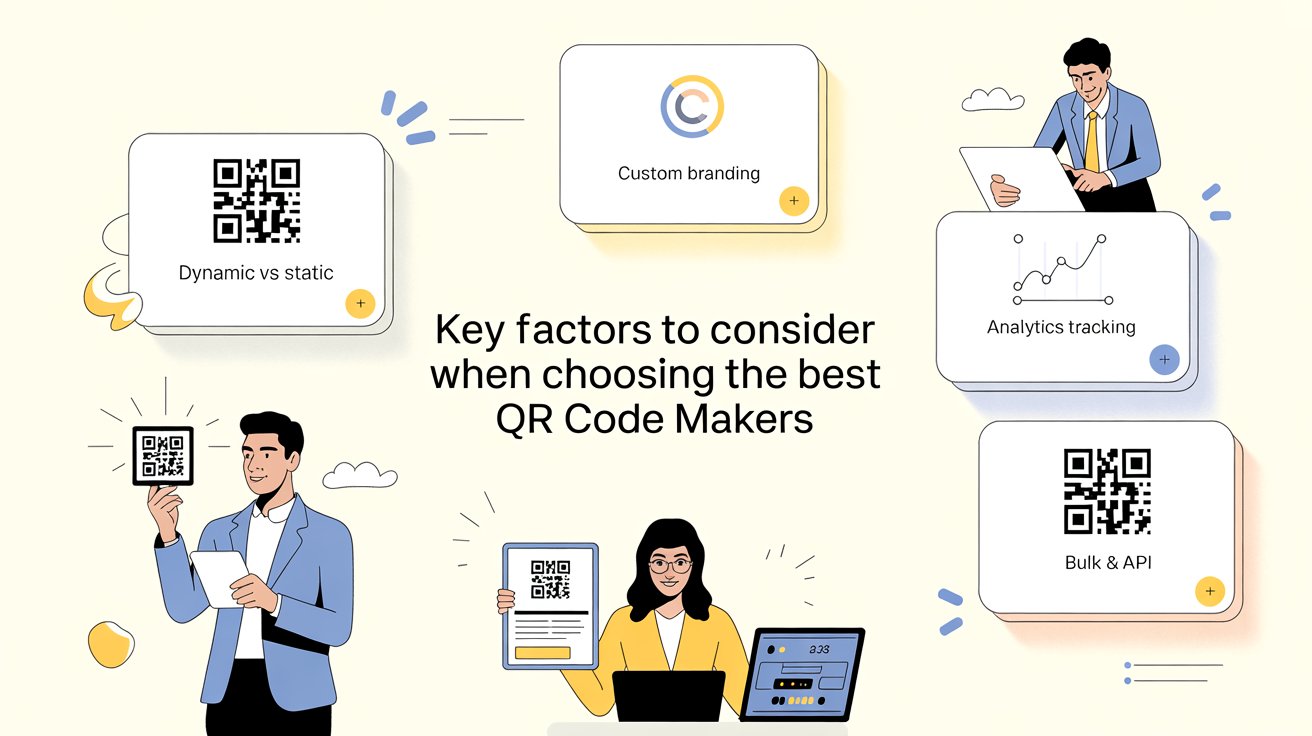
Choosing a QR code maker for businesses isn’t just about generating a square with dots. It’s about selecting infrastructure for customer engagement.
🔹 Dynamic vs. Static:
- Static: Permanent; once printed, it cannot be changed. Best for one-off info like Wi-Fi passwords.
- Dynamic: The gold standard for business. You can change the destination URL after printing and track detailed scan analytics.
You can use the QROQ tool to generate dynamic QR codes that update the linked destination.
🔹 Customization & Branding
Branded QR codes increase trust and scan rates. In fact, white-labeled domains and custom frames can increase scan rates by up to 30%.
🔹 Analytics and Tracking
You need to know who scanned (device type), where (GPS), and when to optimize your marketing spend. Professional-grade QR code makers for businesses offer:
- Scan count
- Location tracking
- Device type
- Time-stamps
- Campaign performance insights
This helps measure ROI on offline marketing.
🔹 Bulk Generation & APIs
Essential for logistics or retail, where you might need 10,000 unique codes for individual products. If you manage:
- Product labeling
- Event badges
- Large marketing campaigns
You need bulk generation and API access to automate workflows.
5 Core Features Every Best QR Code Maker for Businesses Needs
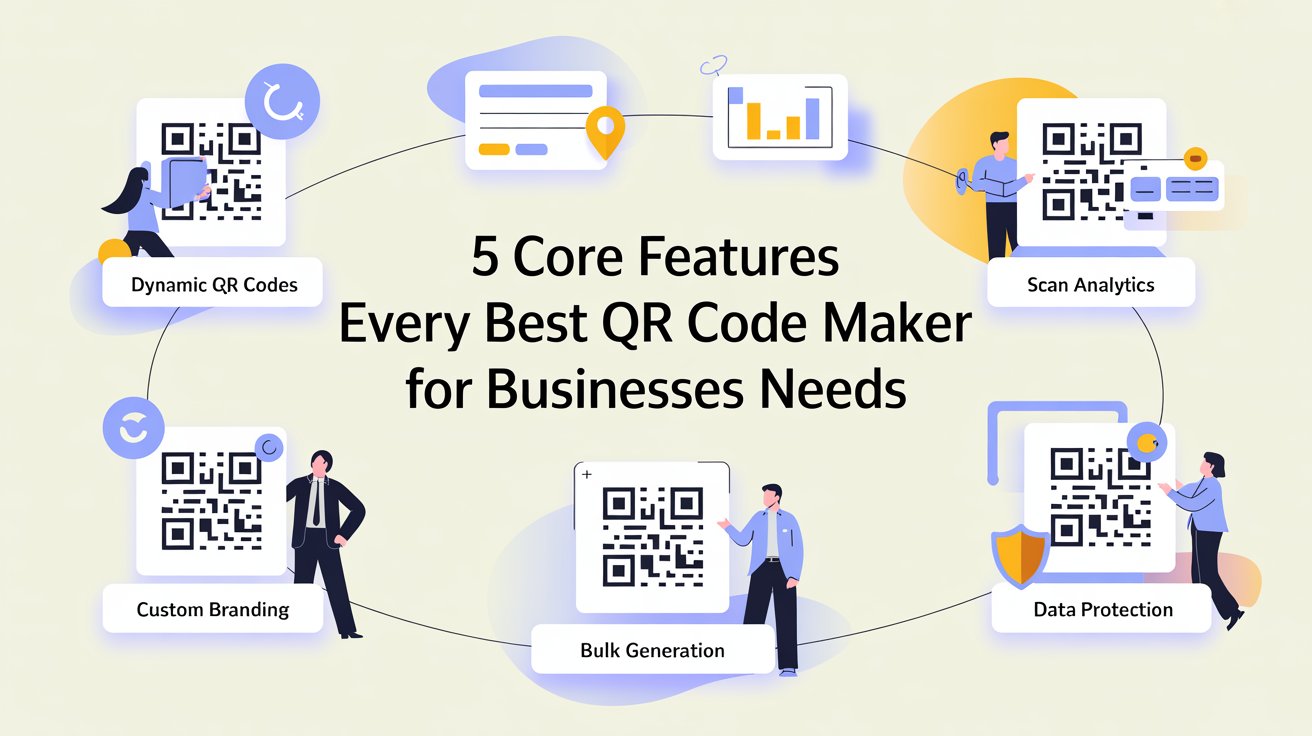
Before diving into individual tools, here's the non-negotiable feature checklist. A QR code makers for businesses that checks all five boxes is ready for serious business use:
1️⃣ Dynamic QR Codes
Can you change your link after printing? You should be able to.
With dynamic QR code makers for businesses, you can change the destination at any time. That means you can update offers, fix mistakes, or switch campaigns without reprinting flyers, packaging, or posters.
Simple change. Zero extra cost.
2️⃣ Advanced Scan Insights
Do you know what happens after someone scans your code? A reliable QR code maker for businesses displays total scans, user location, device type, and the precise date and time of each scan. You can also export reports.
This data helps you measure performance, understand customer behavior, and improve ROI with confidence.
3️⃣ Full Branding & Custom Design
Do your QR code makers for businesses look like your brand? Or does it look just basic?
You can add your logo, use brand colors, change the shapes and frames, and add a clear call-to-action with a good tool.
Consumers will scan your QR code more frequently if it appears branded and professional.
4️⃣ Bulk QR Code Generation
You can upload data (such as CSV files) and generate multiple QR codes simultaneously with bulk QR generation. This facilitates campaign scaling and saves time.
Some advanced tools like QROQ even offer AI-powered QR page builders, helping you create high-impact QR code with ready-to-use, mobile-friendly landing pages, no design or coding skills needed.
5️⃣ Data Security & Compliance
Are you protecting customer data?
If you collect user information, your QR code makers for businesses must support strong security standards like GDPR and HIPAA compliance, secure hosting, and privacy protection.
For modern businesses, safety is not optional; it’s essential.
5️⃣ Data Security & Compliance
Are you protecting customer data?
If you collect user information, your QR code makers for businesses must support strong security standards like GDPR and HIPAA compliance, secure hosting, and privacy protection.
For modern businesses, safety is not optional; it’s essential.
The 7 Best QR Code Makers for Businesses
#1. QROQ
Best Overall for Small & Medium Businesses — One-Time Price, No Subscriptions

About QROQ
Teknikforce developed QROQ, an AI-powered QR marketing platform. It creates a dynamic QR code by default, so you can edit links anytime without reprinting.
Unlike many subscription-based tools, it offers a simple pricing structure, making it attractive for small businesses and agencies.
Pros
⬆️ One-time payment, no monthly fees.
⬆️ All design optimisation saves time
⬆️ By default, all codes are editable.
⬆️ Built-in landing pages (no need for hosting)
⬆️ Zero learning curve and beginner-friendly
Cons
⬇️ Less suited for large enterprise team collaboration
⬇️ Advanced features require paid plans
Best For: Small businesses, restaurants, consultants, salons, gyms, educators, event planners, and agencies that need branded QR codes without complex pricing.
#2. QRCodeChimp
Best for Restaurants & Creative Agencies — Unique Shapes, Landing Pages & Reviews

About QRCodeChimp
Aside from its aesthetics, the QR code maker for businesses offers a powerful combination of dynamic QR codes, an integrated landing page builder, and Google review collection tools, transforming it into a versatile customer engagement platform for retail, hospitality, and real estate professionals.
Pros
⬆️ Unique shapes that are appealing to the eye increase scan rates.
⬆️ A particular QR code generator for Google reviews
⬆️ A good starting point is the free tier.
⬆️ Landing pages eliminate a website.
Cons
⬇️ Advanced analytics are less detailed than Uniqode.
⬇️ Only paid plans offer the best customization options.
⬇️ Interface has a slight learning curve initially
Best For: Restaurants, cafes, retail stores, real estate agencies, event planners, and any brand-conscious business wanting visually distinctive QR codes that stand out.
#3. Bitly
Best for Omnichannel Marketers — Link Tracking and QR Codes in One Place

About Bitly
Bitly has evolved from a link shortener to a unified link intelligence and QR code maker that provides marketing teams with a single dashboard to manage campaign analytics, QR codes, and short links across all channels at once.
Big businesses worldwide use Bitly because it offers both reliability and depth of analytics.
Pros
⬆️ One platform for links + QRs = clean workflows
⬆️ Best-in-class campaign analytics
⬆️ Trusted by global enterprises
⬆️ Custom-branded domains build consumer trust
Cons
⬇️ Design options are less creative than
⬇️ Pricing can escalate for large teams
Best for: Brands that already use Bitly for link management, marketing teams executing omnichannel campaigns, and companies requiring unified tracking for print and digital campaigns.
#4. Uniqode
Best Enterprise Platform — Security, Scale, and Deep Analytics

About Uniqode
When it comes to enterprise QR code makers for business management, Uniqode (formerly Beaconstac) is the best. It offers a comprehensive platform for businesses that demand security, compliance, team collaboration, and advanced analytics.
Pros
⬆️ HIPAA and GDPR compliant
⬆️ Lifetime scan tracking
⬆️ Advanced, in-depth analytics
⬆️ Strong enterprise integrations
Cons
⬇️ Annual billing is required on paid plans
⬇️ Can be complex for beginners.
Best for: Enterprise teams, healthcare organizations, regulated industries, and businesses running large-scale QR campaigns.
#5. Canva QR Code Generator
Best for Designers — QR Codes Inside Your Design Workflow

About Canva QR Code Generator
You can make QR codes with Canva and incorporate them right into your designs. With it, you can surely generate, customize, and place them in flyers, posters, social posts, business cards, or menus, all without leaving the platform.
It’s simple and ideal for teams already using Canva for visual content.
Pros
⬆️ Excellent compatibility with the design process
⬆️ There is no learning curve for current Canva users.
⬆️ High-quality, print-ready templates
Cons
⬇️ Static QR codes only (no editing after creation)
⬇️ No scan analytics or tracking
Best For: Marketing designers, brand teams, solopreneurs creating visual marketing assets, and anyone who wants beautiful QR codes without leaving their design tool.
#6. Shopify QR Code Generator
Best for E-Commerce Stores

About Shopify QR Code Generator
Shopify offers a built-in QR code maker that lets you quickly create codes for product pages, URLs, phone numbers, SMS, or simple text.
It works smoothly inside your Shopify dashboard, so there’s no extra setup. You can even combine discount codes with QR scans to boost checkout conversions and customer loyalty.
Pros
⬆️ Native Shopify integration with no setup required
⬆️ Easy connection to product pages and checkout discounts
⬆️ Supports loyalty and post-purchase campaigns
Cons
⬇️ Bulk generation is limited on basic plans
⬇️ Advanced features require third-party apps
⬇️ Not ideal as a standalone QR platform
Best For: Shopify store owners looking to connect physical marketing materials with product pages, checkout discounts, and post-purchase loyalty programs.
#7. QRCodeKIT
Best for Longevity & Global Brands

About QRCodeKIT
QRCodeKIT has been supporting global QR it is one of the most experienced platforms in the market. Known for stable performance, it has built a solid reputation over time.
It was also among the early platforms to introduce marketing-focused dynamic QR codes. With clear and transparent pricing, it remains a trusted option for businesses that value long-term reliability.
Pros
⬆️ Proven track record with years of reliability
⬆️ Secure HTTPS-encrypted short URLs.
⬆️ White-label domains for brand consistency
⬆️ Strong security infrastructure
Cons
⬇️Interface feels less modern compared to newer tools
⬇️ Advanced team features available only on paid plans
Best For: Established businesses, global brands, and regulated organizations that need stability, security, and a trusted long-term QR platform.
Deep Dive: 3 Ways QR Codes Drive Customer Interactions Today
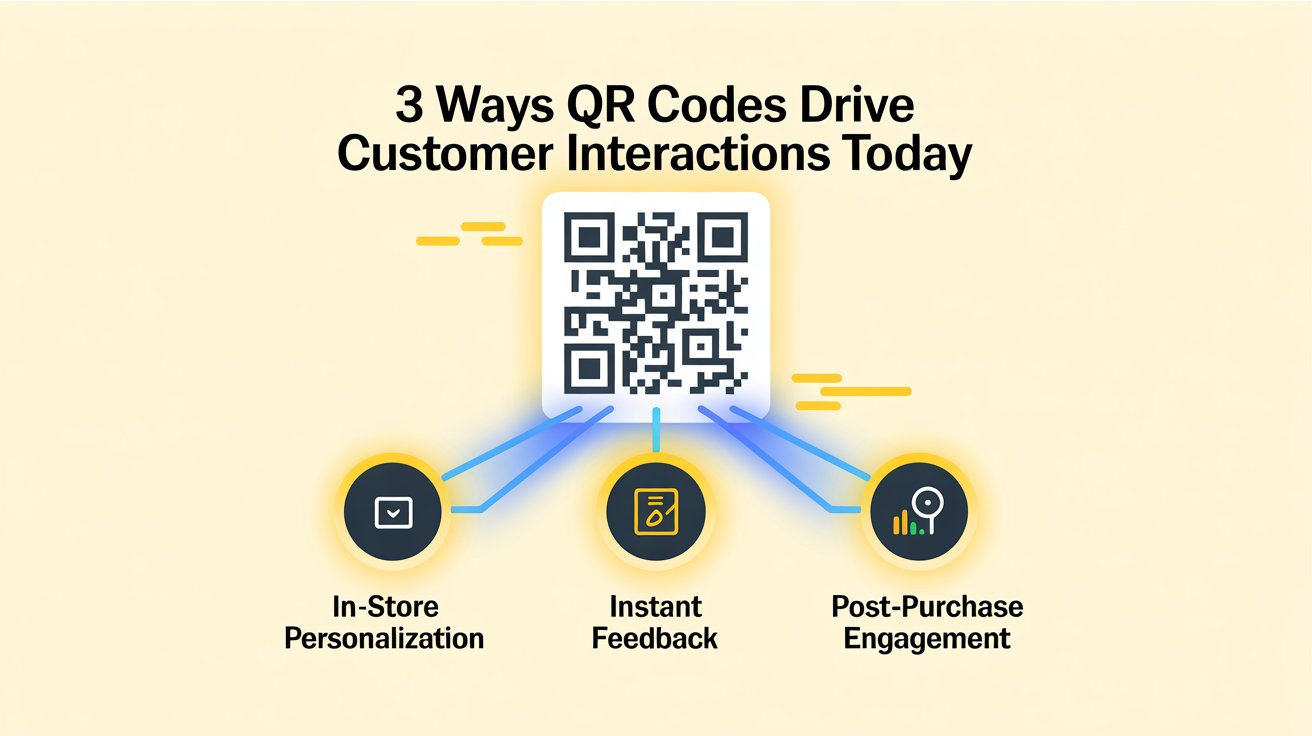
QR code makers have evolved far beyond homepage redirects. In the future, leading brands will use QR code makers to create personalized and measurable experiences across the customer journey.
1️⃣ In-Store Personalization
Retailers use QR code makers for businesses for instant coupons, AR previews, and time-based offers. Your customers scan and receive personalized discounts based on loyalty level or behavior.
Using the right tool, such as QROQ, which can generate QR codes with your logo, brand colors, and unique design elements, increases engagement time and reduces return rates, particularly in furniture, beauty, and consumer electronics.
2️⃣ Instant Feedback at Service Points
QR codes at checkout link to quick surveys. This allows businesses to collect real-time feedback and resolve issues faster, improving customer satisfaction.
3️⃣ Post-Purchase Engagement
Brands place QR codes on packaging to connect customers to loyalty programs, tutorials, and upsell offers. This extends engagement beyond checkout and helps collect valuable first-party data.
QR codes are now a powerful bridge between offline and online customer experiences.
Conclusion
As you wrap up the article, QR code makers for business are no longer just temporary pandemic tools. They've grown into a permanent digital infrastructure for modern businesses.
Today, QR code makers for businesses support everything from in-store personalization to post-purchase loyalty programs. Their role is to facilitate seamless customer journeys in a world where digital and physical experiences coexist.
If you want to use QR codes as a strategy, not just as decoration, explore the right tools.
Business-focused platforms like QROQ provide scalability, tracking, and branding features that help support long-term growth.
FAQs: Best QR Code Maker for Businesses
Q: What is the difference between a static and a dynamic QR code?
A: A static QR code contains fixed information once printed, it can never be updated. A dynamic QR code contains a short redirect URL that you control via a dashboard, allowing you to change the destination.
For any business using QR codes on printed materials, "dynamic" is always the better choice.
Q: How do I add my logo to a QR code?
A: A: Most business-grade QR tools allow you to upload your logo during the design phase. The logo is embedded in the centre of the QR code.
Q: What is the best QR code maker for restaurants?
A: QRCodeChimp is purpose-built for restaurant use, and QROQ's built-in landing page builder also makes it excellent for restaurants that want a digital menu. Both of them work well for small businesses.